Streaming from a PS5 to Kick is notoriously annoying because Sony doesn’t have a native app for it. Most people tell you to buy a $150 capture card. I’m here to tell you that you don’t have to.
I built StreamPS to bridge the gap. It’s a free, simple way to get your console gameplay live on Kick using just your PC/laptop as a relay.
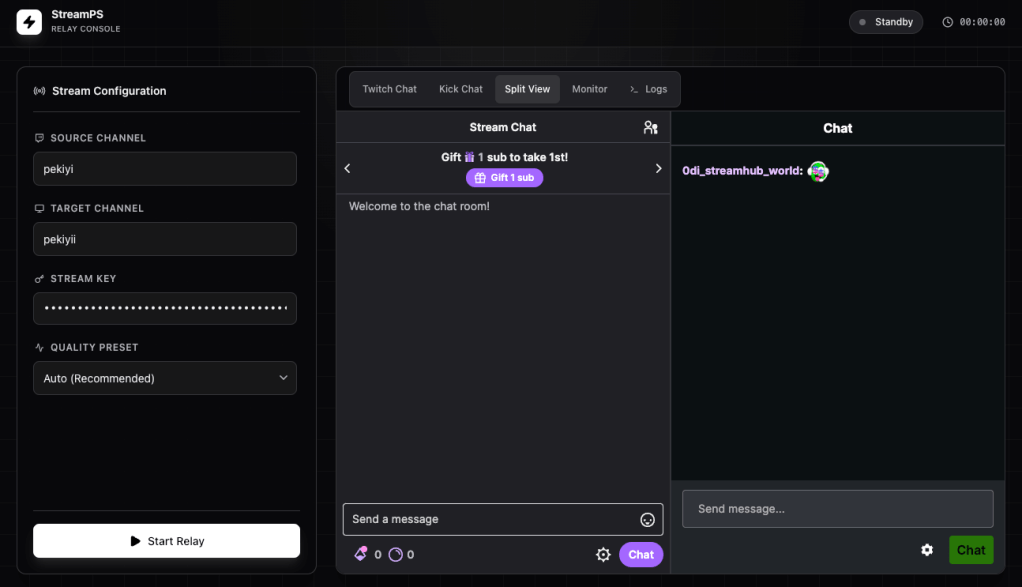
How to do it in 3 Steps:
- Get your Key: Go to your Kick Creator Dashboard and copy your Stream URL and Stream Key.
- Launch StreamPS: Run the tool on your PC and paste your Kick info.
- Start a Twitch stream: On your console, start your stream, and press “Start Stream” on StreamPS.
That’s it.
Why use this?
- 100% Free: No capture card or paid restreaming subscriptions.
- Low Latency: Since it’s a direct relay, there’s no extra lag for your viewers.
- Full Quality: It keeps your 1080p stream looking crisp.
Get Started
You can download the latest version and see the full setup guide here: 👉 https://github.com/eonurk/StreamPS
 Onur
Onur 
Leave a comment